The dashboard and sync history
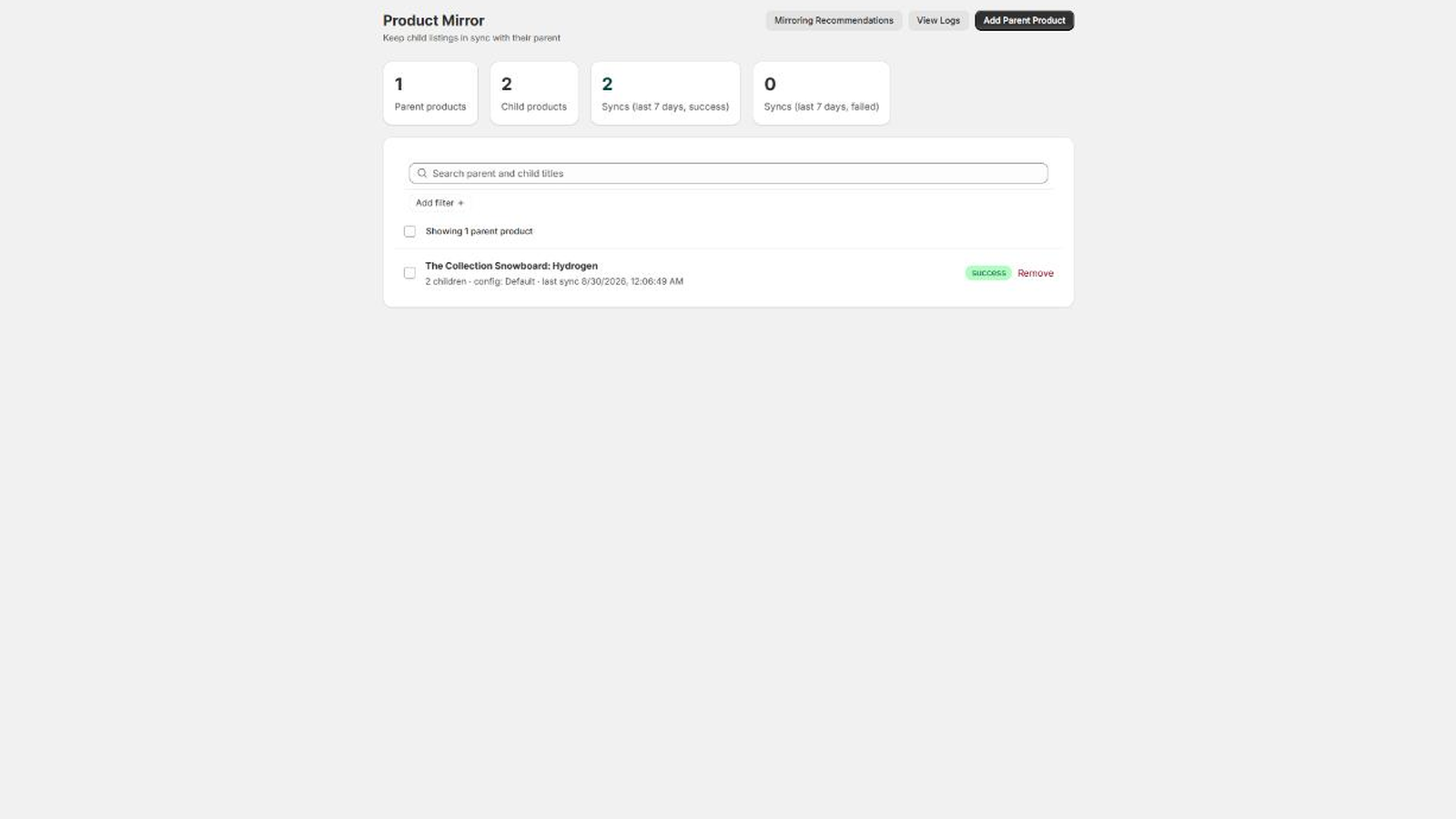
The dashboard
The dashboard is the app’s home, titled Product Mirror. Four cards count:
- Parent products, the number of rules,
- Child products, across every rule,
- Syncs (last 7 days, success),
- Syncs (last 7 days, failed), which turns red while it is above zero.
A Get started card sits above them on a new install, ticking off four steps: add a parent, add children, review your sync config, run your first sync. It disappears once all four are done, and Dismiss removes it earlier.
Two more actions sit in the header: Mirroring Recommendations and View Logs.
The rules list
Every rule is one row, showing the parent’s title, how many children it has, which sync config it uses, and when it last synced. A badge on the right shows the result of that last sync, and Remove deletes the rule. Clicking the row opens the rule.
Search parent and child titles matches both, so you can find a rule by any product in it.
Two filters narrow the list:
- Sync config, listing your configs with the default marked,
- Last sync, offering Success, Error and Never synced.
Ticking rows turns on the bulk actions: Sync now, and one action per config that assigns that config to everything selected.
Sync history on a rule
Each rule page ends with Sync History (last 30), a table of the most recent results for that rule, newest first:
| Column | What it holds |
|---|---|
| Child ID | The numeric Shopify ID of the child that was written |
| Status | success or error |
| Triggered by | webhook for a save, manual for a sync you started |
| Error | Shopify’s own message, or a dash |
| Time | When the row was written, in your own time zone |
One row is written per child per sync, so a rule with four children produces four rows each time it runs.
Sync Logs
View Logs on the dashboard, or Logs in the app’s navigation, opens Sync Logs: the last 200 results across every rule in the store, with the same columns plus the parent’s title, and counts of how many of those 200 succeeded and failed.
Logs are a record of what happened, not a backup. They record which fields were enabled and whether the write worked, never the values that were replaced.